Stop writing scripts to compare data exports.
Reconlify compares CSV, logs, and datasets using keys, rules, and tolerance.
Perfect for migration validation, ETL regression testing, and financial reconciliation.
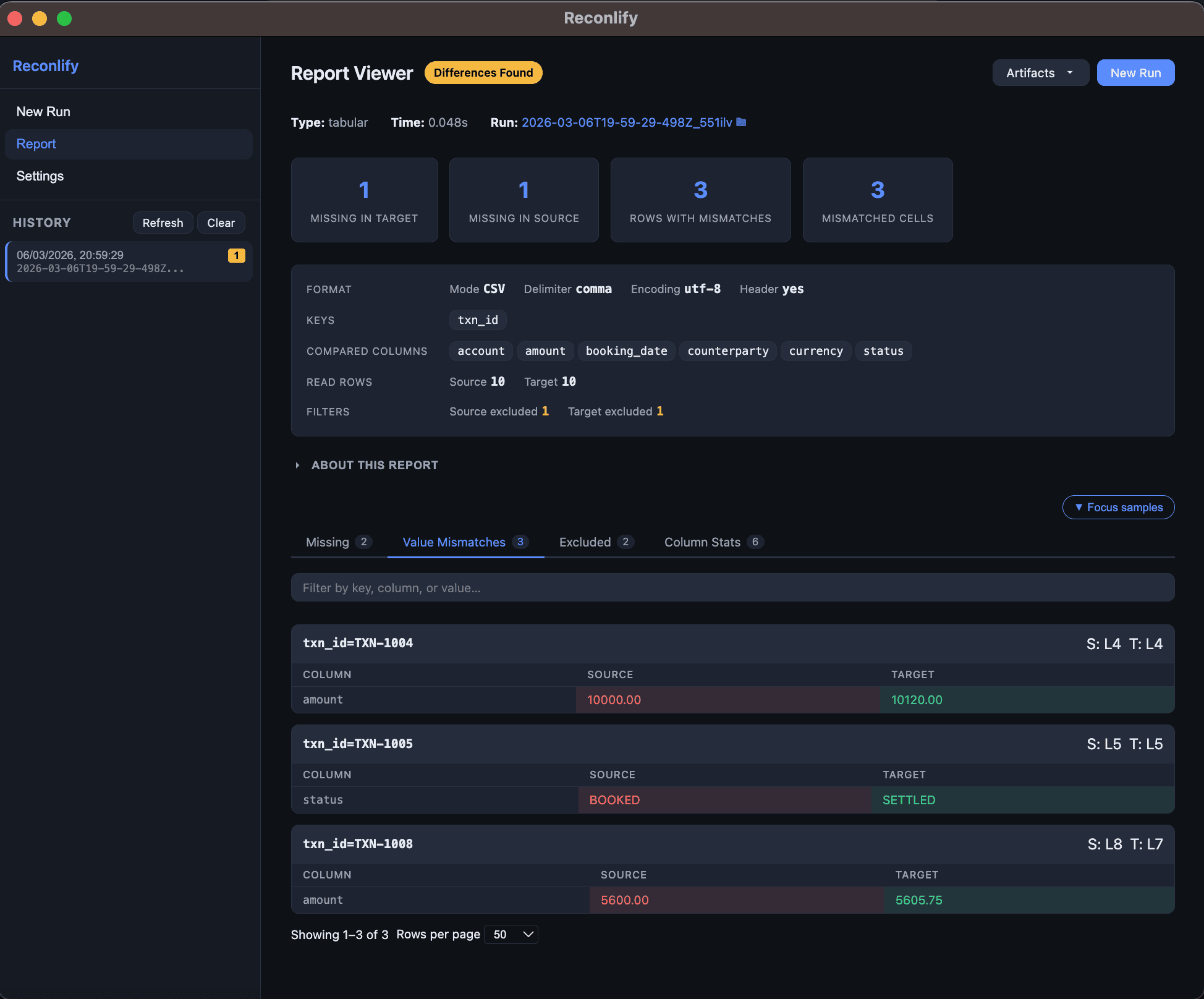
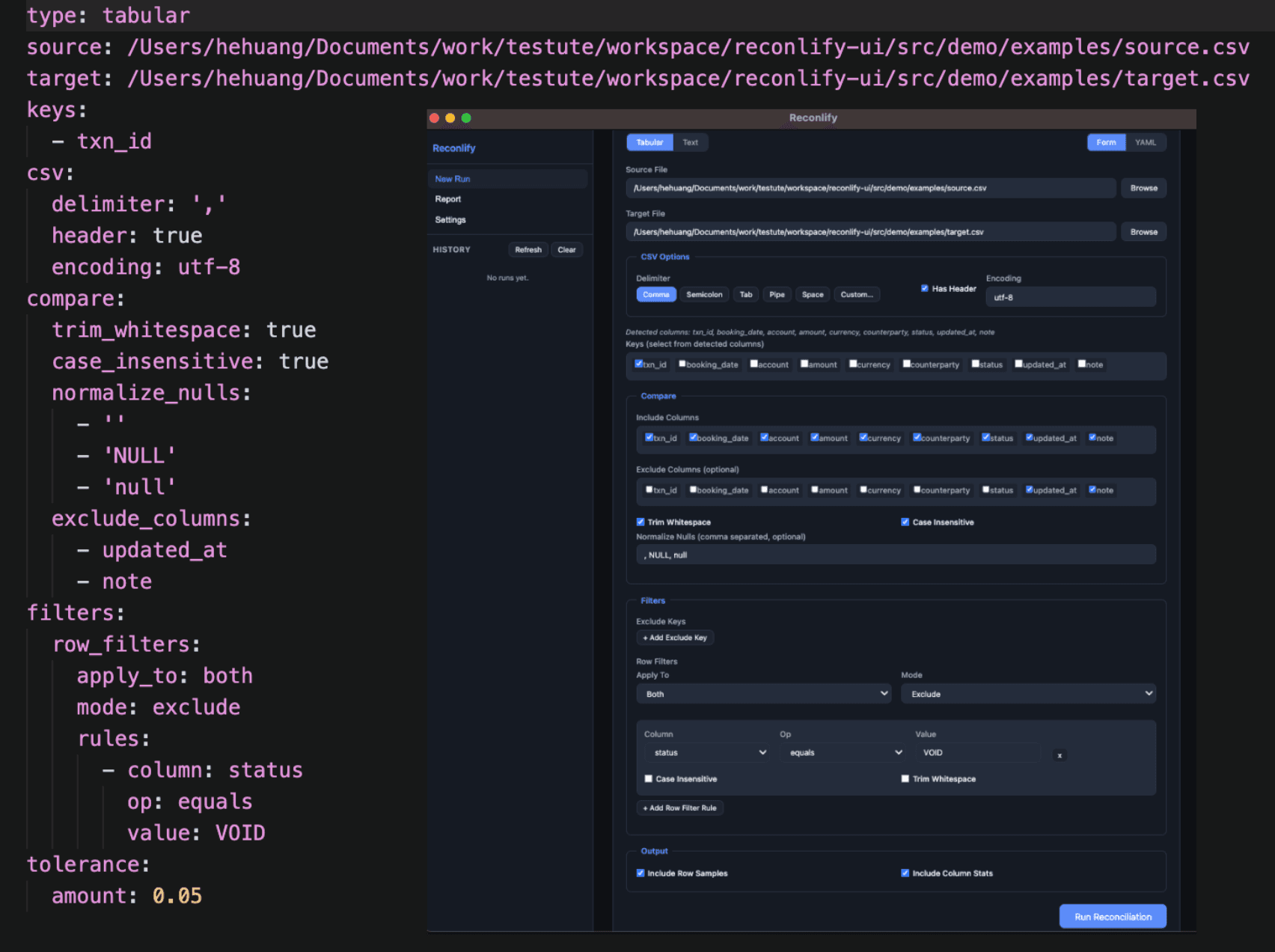
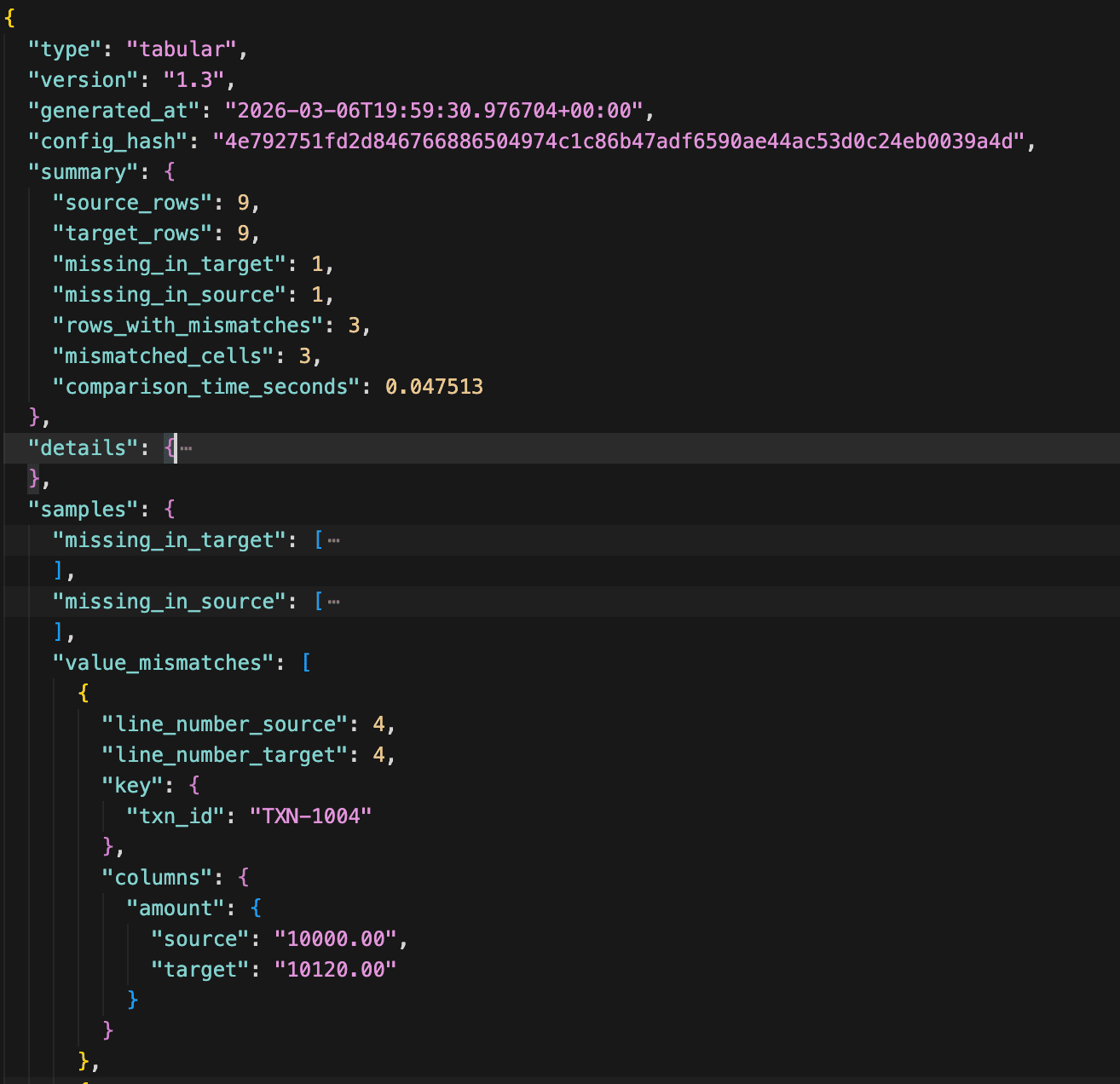
See a reconciliation example
A realistic exported-data comparison with key matching, column mapping, and tolerance.
Source CSV
trade_id,amount,customer_name,status
T-1001,100.00,Acme Corp,BOOKED
T-1002,200.00,Globex Inc,BOOKED
Target CSV
id,total_amount,client_name,status
T-1001,100.01,acme corp,BOOKED
T-1002,210.00,Globex Inc,BOOKED
Reconlify config
# RECONLIFY CONFIG
# Compare two transaction datasets using semantic rules

keys:
  - trade_id          # Primary key used to match rows between datasets

column_mapping:
  trade_id: id        # Source column "trade_id" corresponds to "id" in target
  amount: total_amount
  customer_name: client_name

tolerance:
  amount: 0.05        # Numeric tolerance: treat values within ±0.05 as equal

string_rules:
  customer_name:
    - trim            # Ignore leading/trailing whitespace
    - case_insensitive # Ignore case differences ("Alice" vs "alice")
Reconlify compares datasets using semantic rules instead of raw diffs. Column mapping, numeric tolerance, and string normalization allow real-world data comparisons to match even when formats differ.
Compare data with rules, not raw diffs.
Reconlify result
- T-1001 — match (within tolerance + normalized string match)
- T-1002 — mismatch (amount differs: 200.00 vs 210.00)
Rows matched by key, not line position. Columns mapped across schemas.
Comparing data exports shouldn't be painful
Every team that works with data exports hits the same walls.
Line-based diffs break on real data
A row moves position, a date format changes, a trailing space appears - and your diff tool lights up with false positives.
Manual comparison doesn't scale
VLOOKUP in Excel works for 50 rows. When you're comparing 100k+ records across system migrations, it falls apart.
No audit trail
After hours of manual checking, there's no structured report to show what matched, what differed, and why.
Comparison that understands structure
Reconlify performs semantic reconciliation for structured datasets — not just raw file diffs.
Instead of comparing files line-by-line, Reconlify understands tabular structure, keys, and column relationships. It can match rows using primary keys, detect missing records, and highlight value-level mismatches.
Reconlify also supports schema-aware column mapping, allowing comparison between datasets whose column names differ across systems.
Example:
Source dataset: trade_id, amount
Target dataset: id, total_amount
With column mapping:
trade_id → id
amount → total_amount
Reconlify can reconcile these datasets correctly and produce a deterministic reconciliation report. This makes it especially useful for migration validation, cross-system data reconciliation, and exported dataset verification.
Key-based matching
Define composite keys to match rows between files. No more false mismatches because a row moved to a different line.
Schema-aware column mapping
Compare datasets even when column names differ between systems. Map source fields to target fields for accurate reconciliation.
Normalization rules
Trim whitespace, apply numeric tolerance, use regex replacements. Filter out formatting noise so you only see real differences.
Deterministic JSON reports
Get a structured JSON report documenting matches, mismatches, and missing rows. Deterministic output you can diff, archive, or feed into other tools.
Built for real workflows
From migration QA to monthly reconciliation, Reconlify fits into the workflows you already have.
Migration Validation
Export data from source and target systems, then compare with Reconlify. Match rows by composite keys and flag real semantic differences across CSV or TSV files.
Report Reconciliation
Compare exported reports from different systems or time periods. Use normalization rules to handle formatting differences in numbers, dates, and whitespace.
Regression Testing
Compare CSV or text output before and after a SQL query change, pipeline update, or new release. Catch unexpected differences in exported datasets.
Audit & Compliance
Generate deterministic JSON reports that document what matched, what differed, and what was missing between two files. Reviewable and ready for audit trails.
Feature highlights
- Support comparison of tabular file (CSV, TSV)
- Support comparison of text file line by line or unordered
- Key-based dataset reconciliation
- Schema-aware column mapping
- Column-level mismatch detection
- Missing row detection
- Rule-based normalization
- Regex replacement and drop rules for text comparison
- Numeric tolerance support
- Deterministic reconciliation reports
- Local-first execution
How Reconlify compares
Most tools show textual differences. Reconlify focuses on semantic dataset reconciliation — helping teams verify whether data outputs are functionally identical.
Reconlify focuses on semantic reconciliation of exported datasets such as CSV exports, reports, and logs. Tools like Datafold specialize in comparing tables inside databases and data warehouses, while Reconlify validates data outputs produced by pipelines, migrations, and financial systems.
| Capability | diff / difflib | csvdiff | Beyond Compare | Datafold | Reconlify |
|---|---|---|---|---|---|
| Understands tabular datasets | |||||
| Key-based row matching | |||||
| Detects missing rows | Partial | ||||
| Column-level mismatch detection | Partial | ||||
| Rule-based normalization | |||||
| Regex transformations | |||||
| Numeric tolerance | |||||
| Noise filtering | Manual | Partial | |||
| Deterministic JSON reconciliation report | Partial | ||||
| Works with exported files | |||||
| Database integration | Planned | ||||
| CI/CD automation ready | Partial | ||||
| Schema-aware column mapping | Partial | Partial | |||
| Local-first execution |
Frequently asked questions
What file formats does Reconlify support?
Reconlify currently supports CSV, TSV, and plain text files. Excel (.xlsx) support is planned for a future release.
Is my data sent to any server?
No. Reconlify is local-first. All file processing happens on your machine. Your data never leaves your device.
How is this different from a regular diff tool?
Regular diff tools compare files line by line. Reconlify is designed for structured dataset reconciliation. It understands tabular schema, matches rows by key, detects missing records, and reports column-level mismatches. It also supports schema-aware column mapping, so semantically equivalent fields can still be compared even when source and target use different column names. That means Reconlify is better suited for migration validation, exported dataset checks, and audit-style reconciliation workflows where raw line diffs are not enough.
Can I compare files with different column orders?
Yes. Reconlify compares structured datasets by column meaning rather than raw column position, so different column orders do not prevent comparison. If the files also use different column names, you can define a column mapping so corresponding fields are still reconciled correctly. For example, you can map trade_id to id and amount to total_amount. This makes Reconlify useful for comparing exports from different systems even when both the schema order and the column names differ.
What is available today?
The Reconlify CLI is available now and supports CSV, TSV, and text comparison with key-based matching, normalization rules, row filters, and JSON reporting. A desktop application is in development — join the waitlist to be notified when it launches.
Is Reconlify free?
The CLI is free to use. Pricing for the desktop application and any future advanced features will be announced closer to launch.
How do I report bugs or request features?
You can reach us at our contact email or open an issue on GitHub. We actively collect feedback to shape the product roadmap.
Join the Desktop Beta Waitlist
Get early access to the Reconlify desktop UI for local-first dataset reconciliation. The CLI is available now.